






Upgrade Information
35 Years Experience | Free Telephone & Email Support!
Ordering Options...
- Online: Secure Order Form (use order form below)
- Phone: 1-801-377-6978
- Email: order@silkscientific.com
- Fax: 1-801-228-2448
- Mail: Address at bottom of page
Online Upgrade Order Form | UN‑SCAN‑IT Upgrade
UN‑SCAN‑IT New Features
Ver 7.0 for Windows | Ver 6.2 for Macintosh

Zoomable Digitizing Screen
The digitizing screen can now be zoomed (1x, 2x, 4x, 8x) to improve placement of the setup icons, and also provide a more detailed view of the digitized data points.
Scalable Image Control
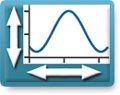
The main image view can now be set to maintain the aspect ratio of the original image. This eliminates any stretching effect when the image is fit to the main digitizing screen.
Vertical Data Shifter
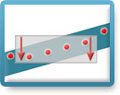
A graphical data shifter tool is integrated in the digitizing screen to allow selected digitized data points to be shifted up or down to better fit the graphical image.
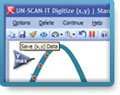
Toolbar Shortcuts
Many of the most common digitizing and graphing options can now be accessed from the toolbars located below the menus.
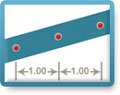
X Data Spacing Adjustment
The X data spacing can be adjusted by fitting the digitized data points using a cubic spline or linear fit. This feature can be used to set a defined number of data points.
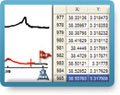
Integrated Digitizing and Graphing Spreadsheets
The digitizing and graphing screens now contain spreadsheets that display the (x,y) data values in real time.
- Increased Number of Data Points
The maximum number of digitized (x,y) data points has been increased to 100,000 data points per file. - Turbo Mode
A new digitizing speed setting allows data points to be digitized at 30,000+ points per second. - Additional Image Formats and Larger Image Support
The software supports additional graphic image formats, and can load larger images. - Integrated Digitizing and Graphing Screens
It is now possible to toggle directly between the digitizing screen to the graphing screen. - New Context Sensitive Help Buttons and Tooltips
Context sensitive help buttons and tooltips are now located adjacent to many of the setup and digitizing options. - Larger Setup Icons
The digitizing setup icons are larger and clearer to improve assist user interaction during the setup process. - New Screen Color Options
Additional screen colors, highlight colors, and data points sizes are available. - Customizable Data Eraser
The size of the data eraser and data shifter can now be customized to improve precision.
UN‑SCAN‑IT gel New Features
Ver 7.1 for Windows | Ver 6.3 for Macintosh

Zoomable Analysis Screen
The analysis screen can now be zoomed (1x, 2x, 4x, 8x) to improve placement of the lane and segment boxes, and also provide a more detailed view of the gel image.
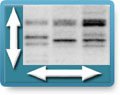
Scalable Image Control
The main image view can now be set to maintain the aspect ratio of the original image. This eliminates any stretching effect when the image is fit to the main analysis screen.
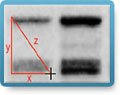
Distance Measuring Tool
A distance measuring tool is integrated into the gel analysis screens, to allow x, y, and z distances to be easily measured in pixel, inches, or cm units.
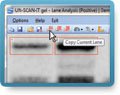
Toolbar Shortcuts
Many of the most common drawing and analysis options can now be accessed from the toolbars located below the menus.
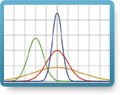
Gaussian Peak Resolving
The Density Profile screen now contains a tool for resolving overlapping peaks. The peaks can be overlaid with Gaussian peaks shapes to allow the underlying peaks to be resolved.
Context Sensitive Help Buttons
Context sensitive help buttons and tooltips are now located adjacent to many of the setup and analysis options.
- Faster Digitizing (Turbo Mode)
A new turbo digitizing speed setting allows the gel image to be digitized much faster. - Additional Image Formats and Larger Image Support
The software supports additional graphic image formats, and can load larger images. - New Peak Finding Options
The Density Profile screen includes addition user defined settings for automatic peak finding. - Band Normalization Tool
The Pixel Total values for all segments can be normalized to a single user defined segment. - New Graph Digitizing Features
UN‑SCAN‑IT gel Version 7.1 also includes all the new graph digitizing features of the UN‑SCAN‑IT Version 7.0 Graph Digitizing Software.
Other Upgrades
Cross Platform Upgrade
Windows to Mac | Mac to Windows (Contact us for Details)
Cross Product Upgrade
UN‑SCAN‑IT to UN‑SCAN‑IT gel (Contact us for Details)
Silk Scientific, Inc. 1060 Oakmont Lane Provo, UT 84604 USA
Tel: 1-801-377-6978 | Fax: 1-801-228-2448
Email: info@silkscientific.com
Copyright © 2024 Silk Scientific Inc. All rights reserved.
